Is migrating from .NET Framework to .NET 10 worth it, and with which method?
What decides cost and timing is the list of blocking dependencies: Web Forms, server-side WCF, AppDomain, .NET Remoting and Windows Workflow Foundation do not exist on the other side and must be rewritten; System.Drawing and BinaryFormatter are the two traps that surface in production instead of in analysis.
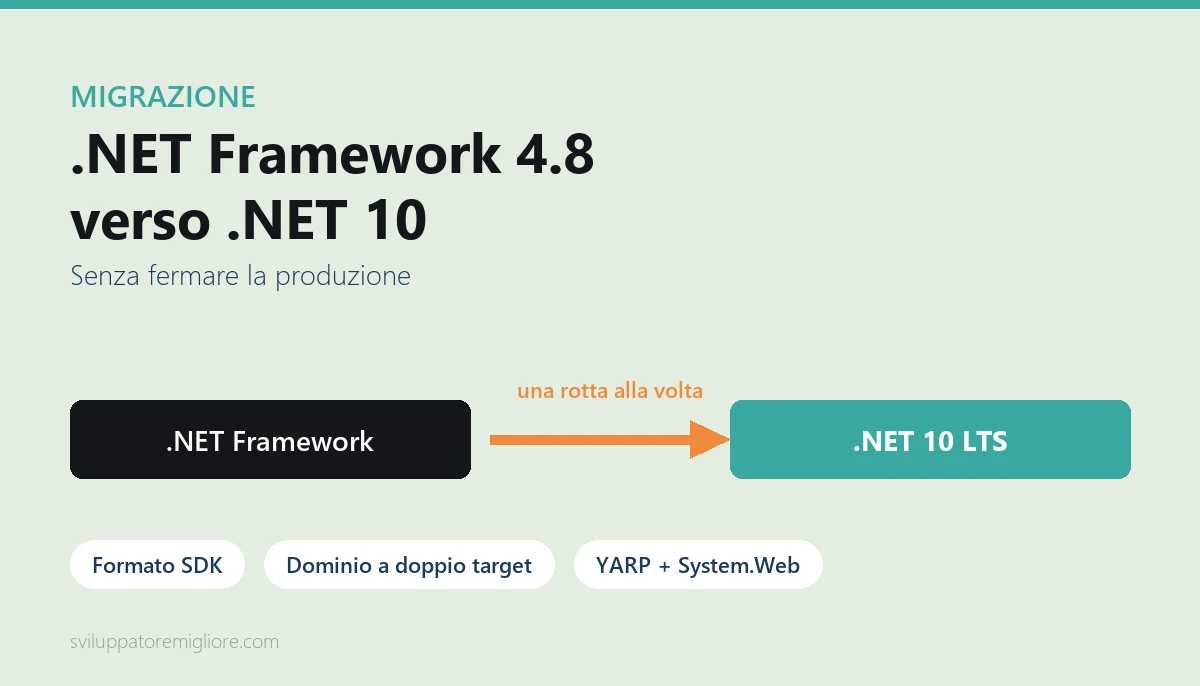
The method that works is incremental: convert to SDK format while staying on .NET Framework (zero risk), extract the domain into dual-target libraries, put YARP in front with the System.Web adapters for shared session, and move one route at a time into production. Every release is small and reversible with a configuration change.
The rule with no exceptions: migrate at parity of behaviour first, improve afterwards. Migrating and restructuring at the same time is the mistake that costs the most.

If you have a .NET Framework 4.8 application running in production and it works, the right question is not "should we migrate". It is "what is every month of waiting costing me". This guide gives you the numbers to answer it: what actually changes between .NET Framework and .NET 10, which parts of your code will never make it across, how long a real migration takes, what it costs, and the method that gets it done without stopping production for a single day.
This is not a guide for curious developers. It is written for the people who have to decide: the CTO who needs to put a figure in a budget, the business owner whose revenue runs through an ERP that cannot be down for three months, the IT manager who has already received two quotes that differ by 300% and cannot tell which one is serious.
.NET Framework migration is the most common modernization project in companies with software built between 2008 and 2018. It is also the one that gets postponed the longest, because the application works and the perceived risk of change is higher than the perceived pain of the status quo. That calculation is exactly what needs to be redone with real numbers.
Why .NET Framework migration became urgent again
For years the honest answer to "do I have to move off .NET Framework" was: not necessarily, not now. .NET Framework 4.8 is a Windows component and stays supported as long as the Windows version it runs on is supported. There is no shutdown date forcing you to move tomorrow. That is why thousands of business applications are still there.
What changed in 2026 is not .NET Framework support. It is three things around it.
The framework is frozen, the ecosystem is not
.NET Framework 4.8 receives security fixes, not new features, and has done for years. Meanwhile the entire ecosystem moved: the NuGet libraries you depend on ship versions that require .NET 8 or later and stop publishing a net48 target, cloud vendor SDKs do the same, and AI-assisted development tooling is trained and tuned on modern APIs. It is not a sudden block: it is erosion. Every quarter the list of things you cannot upgrade gets one item longer.
The operational signal to watch is not the framework's end-of-support date. It is the moment when, trying to upgrade a library you need for a customer request, you discover that the last version compatible with net48 is two years old and carries an open vulnerability. When that moment arrives, migration is no longer a project you can plan: it is an emergency.
The support windows of the new platform
Anyone migrating today needs to know where to land. The modern release calendar is rigid and predictable: LTS (Long Term Support) versions get three years, STS (Standard Term Support) versions eighteen months. .NET 8, the LTS that absorbed most migrations between 2024 and 2025, goes out of support in November 2026. .NET 10, released in November 2025, is the LTS to land on today.
The practical consequence is that a migration started in 2026 must target .NET 10, not .NET 8. It sounds obvious, and yet it is one of the most expensive mistakes we see in quotes: the vendor reuses a 2024 project plan, lands you on .NET 8, and within months you are running a runtime upgrade on a freshly migrated application, with the team having already dismantled the scaffolding.
The cloud cost you are paying without knowing it
This is the line item that convinces decision makers more than any technical argument. .NET Framework runs on Windows only. If your application is in Azure or AWS, you are paying for Windows instances, and the Windows license is inside the hourly price of the machine. The same application on .NET 10 runs in a Linux container, which costs less for the same resources, starts in a fraction of the time, and can scale to zero replicas when nobody is using it.
For an internal application used eight hours a day on working days, the difference between an always-on Windows VM and a Linux container that scales to zero is not a percentage: it is an order of magnitude. It is the kind of saving that pays back a meaningful share of the migration project in the first year, and that nobody puts in the business case because cloud cost sits on a different budget line from development cost.

What actually changes between .NET Framework 4.8 and .NET 10
The most common confusion among people who decide without writing code is thinking this is a version upgrade, like going from 4.6 to 4.8. It is not. .NET Framework and .NET are two different products that share the language and a large slice of the standard library, but have different runtimes, different deployment models and different extension models.
The runtime is no longer part of the operating system
.NET Framework is installed into Windows. A machine has one version, shared by every application on it. Upgrading it means touching the operating system, which is why on a server hosting ten applications nobody ever upgrades it.
Modern .NET works the other way round: the runtime travels with the application. You can have a service on .NET 8 and one on .NET 10 on the same machine, upgrade one without touching the other, and ship the application as a self-contained package that needs nothing preinstalled. This changes the rules of deployment more than any API difference: the fear of upgrading the framework, which is the reason your software has been frozen since 2017, simply disappears.
The project file and package management
The old csproj listed every single file in the project. The SDK-style format lists none: it includes whatever it finds in the folder. A real project's csproj goes from seven hundred lines to fifteen. Package references move from packages.config to PackageReference, with transitive dependency resolution: you no longer list your dependencies' dependencies by hand.
This step deserves attention because it is the part of the migration you can do today, on .NET Framework, without changing runtime and without risk. A net48 project in SDK-style format compiles and runs exactly as before. We come back to it in the operational plan: it is phase one, and it is what makes everything else possible.
Configuration
web.config and app.config with their per-environment transforms give way to appsettings.json and a layered configuration system: base file, environment file, environment variables, external secrets. A bridge package, System.Configuration.ConfigurationManager, lets you keep reading the old files during the transition. Use it as a bridge, not as a destination: leaving configuration in the old model means giving up the main reason you migrate, which is being able to keep secrets out of the code and change configuration without recompiling.
Dependency injection and lifetime
In .NET Framework, dependency injection was a choice: Unity, Castle Windsor, Autofac, or nothing and everything static. In modern .NET it is part of the platform, and the whole hosting model (startup, shutdown, background services, health checks) is built around it. This is a huge long-term advantage and it is also where old code full of static singletons and HttpContext.Current read deep inside business logic pushes back hardest. More on that in the traps section.
The honest inventory: what breaks when you migrate
This is the section I always ask people to read first when they bring me a migration quote to review. A serious quote lists these items one by one and says which ones are in your code. A quote that only says "upgrade to .NET 10" and gives a lump sum was not preceded by any analysis.
What does not exist on the other side
ASP.NET Web Forms. It is not there, it will not be there, and there is no automatic conversion path. The postback and view state model is incompatible with the ASP.NET Core request model. A Web Forms application must have its UI rewritten. The natural path today is Blazor, which keeps a component model with server-side state and reuses existing C# code, which is why it dominates the discussion around Blazor migration for enterprise applications.
Server-side WCF. A WCF service exposing SOAP endpoints has no official Microsoft port. CoreWCF, a .NET Foundation project, covers a significant share of scenarios and lets you reuse existing contracts: it is a real path and we use it, but it covers a subset, and configurations with exotic bindings, distributed transactions or message-level security must be verified one by one before promising a date. The client side, by contrast, works well: the System.ServiceModel.* packages let you keep consuming third-party SOAP services from modern .NET.
.NET Remoting. Removed. If you have it, it must be replaced, typically with gRPC or plain HTTP calls. Not hard work, but work, and it has to be counted.
AppDomain. The application domain isolation model is gone. If your software loads plugins at runtime or executes customer code in a separate domain, that mechanism must be rewritten on AssemblyLoadContext, which solves loading and unloading but does not provide security isolation. It is one of the few items that, if present, can change the strategy for the whole project.
ASMX web services. Not supported. They must be re-exposed as REST APIs or as CoreWCF services.
Code Access Security and Security Transparency. Removed. The security model changed radically: typical business software does not use them, but software that executes third-party code often has them at the heart of its architecture.
Windows Workflow Foundation. Not in the Microsoft product. CoreWF exists, community-run. If you have business processes modelled in WF, this item alone justifies a dedicated assessment.
What comes across, with care
Entity Framework 6. It runs on modern .NET. You can migrate the application keeping EF6 and defer the move to EF Core, and that is almost always the right call: doing both at once doubles the risk surface. Bear in mind that EF6 gets no new features and that some third-party database providers have no compatible version.
WPF and Windows Forms. Supported on .NET, Windows only. Porting a desktop application is generally the simplest case: the project file changes, deployment changes, and most of the code compiles. Complications come from third-party controls and COM interop.
System.Drawing. No longer works outside Windows. If you generate PDFs, thumbnails or charts with System.Drawing and want to land on Linux containers, that part must move to another library. It is one of the most underestimated items, because it hides in a printing module nobody has looked at for years.
BinaryFormatter. Removed from recent .NET versions. If you have caches, sessions or persisted files serialized with BinaryFormatter, you need a new serialization format and a strategy for reading the old data already written. This is the kind of detail that does not surface in analysis and blows up in production.
HttpContext.Current. In the new model there is no ambient static variable holding the request context. If your business code reads it deep down, the migration touches layers you thought you would not have to touch. It is the single most reliable indicator of a web migration's real difficulty: counting how many times HttpContext.Current appears outside controllers tells you more than any eyeball estimate.
The package that saves half the work
There is a package, Microsoft.Windows.Compatibility, that brings several thousand Windows-specific .NET Framework APIs to modern .NET: registry, WMI, ACL permissions, Windows services, MSMQ queues, drawing. It does not solve the cases listed above, but it drastically cuts the number of compilation errors on the first attempt, and lets you separate the real problems from the ones that a single line in the project file fixes.

How long a .NET Framework migration takes and what it costs
Every time I give numbers on this I add the same warning: migration cost does not depend on the size of the codebase, it depends on the list in the previous section. Two applications of a hundred thousand lines each can differ tenfold. That said, orders of magnitude exist and they are useful for telling whether a quote lives in the real world.
The three profiles that cover most cases
Simple profile: a library or a headless service. A Windows service, a domain library, a batch process, a Web API 2 endpoint with no blocking dependencies. Project conversion, package upgrades, configuration replacement, testing. From a few days to three weeks of actual work. This is the case where automated tools really do most of the job.
Medium profile: an ASP.NET MVC or Web API application with a database. The same list plus the hosting model, authentication, session handling, filters, HTTP modules, scheduled jobs. One to three months of actual work per application with a team of two. This is the most frequent case and the one where the incremental method always pays.
Heavy profile: Web Forms, server-side WCF, or desktop with heavy interop. Here we are not talking about migration but about rewriting one or more layers. Six months to two years, and the project must be run as staged modernization with progressive releases, not as a migration. This is the territory described in the guide on legacy software modernization.
The line items quotes forget
The stated cost of a migration is almost always the cost of converting the code. The real cost contains at least four more items.
The first is testing. If the application has no automated tests, and in most cases it does not, testing is manual and has to be done twice: once before the migration to establish what the system does today, once after to verify it does the same thing. On an ERP with forty screens this item alone is worth weeks.
The second is the release pipeline. The new application ships differently. Build, publish, containers, configuration, secrets, monitoring: all of it has to be rebuilt. Those are days that are not in the quote because they are not "development".
The third is dual maintenance. During the project the old software keeps receiving change requests from customers. Every change has to be carried over to the new branch too. It is the hidden cost that makes every long migration more expensive than two short ones, and it is the technical reason the incremental method almost always beats a rewrite.
The fourth is training. A team that has written .NET Framework for ten years does not produce idiomatic modern .NET on the first attempt. If nobody in the company has walked this path before, the first two months run at reduced productivity, or you need someone who has walked it to lead.
What to count on the other side of the scale
The calculation has to be closed with the savings, otherwise the decision is always made looking only at cost. The measurable items are: infrastructure cost (Windows licensing, machines oversized because the old runtime consumes more, environments that cannot scale to zero), the cost of developer time wasted on a frozen platform, the cost of vulnerabilities you cannot close, and the cost of the risk of having to do all of it in a hurry two years from now. I have written up the method for quantifying them in the analysis of what legacy software really costs you.
The four possible strategies and when to choose each
There are four ways to approach a .NET Framework migration. Picking one by taste rather than by the characteristics of the system is the strategic mistake that costs the most.
Rewrite from scratch
Throw it away and start again. It has an irresistible appeal for developers and a failure rate everybody knows. It is justified in one case only: when the domain model of the old software is wrong, not when the code is old. If the software does the right thing in an antiquated way, rewriting means paying twice to get back what you already have, and reintroducing from scratch every exception rule that twenty years of customers carved into the code and nobody documented.
The rule I use: if the client cannot list at least three behaviours of the current system they want to change, it is not a rewrite project, it is a migration project in disguise.
Big bang
Migrate everything, test it, release over a weekend. It works, and it is the right choice for the simple profile: a service, a library, a small API. On a medium application it becomes dangerous, because it concentrates all the risk in one moment and offers no way back other than a full restore. On a large application it is the strategy that produces projects which run for eighteen months and never reach production.
Strangler fig: incremental migration
The new system grows around the old one and absorbs one capability at a time, until the old one has nothing left to do and gets switched off. A component in front routes requests: already-migrated ones go to the new application, everything else keeps going to the old. The user notices nothing, the address does not change, and with every release a slice of the system is permanently safe.
It is the right strategy for the vast majority of business web applications, and the next section explains concretely which tools make it work on .NET.
Long-term coexistence
Migrate the part worth moving and leave the rest where it is, connecting the two worlds with APIs. This is not a defeat: it is the correct choice when part of the system is stable, does not evolve, has no security exposure and blocks nothing. A label printing module written in 2011 that works and that nobody has touched in eight years is not technical debt. It is amortized infrastructure.
The incremental method: strangler fig with YARP and System.Web adapters
Until a few years ago, incrementally migrating an ASP.NET application was theoretically right and practically impossible: session, authentication and request context could not be shared between the old world and the new one, so the user got logged out every time they crossed the boundary. That is no longer the case, and this single change is what turned .NET Framework migrations into a manageable project instead of a leap in the dark.
The two pieces that make coexistence possible
The first is YARP, Microsoft's reverse proxy written in .NET. It sits in front of both applications and decides, per request, where to send it based on the path. It is configurable at runtime, so moving a route from old to new is a configuration change, not a release.
The second is the System.Web adapters (Microsoft.AspNetCore.SystemWebAdapters). They solve the real problem: they let code written against System.Web run inside ASP.NET Core, and they let the two applications share session and user identity during the transition. Concretely: the user enters through the old application, clicks a menu item whose route has already been migrated, lands on the new application and stays authenticated with their session. They notice nothing.
How the work actually goes
You create a new ASP.NET Core project alongside the existing one. You put YARP in front, configured to send everything to the old application: on day one the system behaves exactly as before, and that is the point. From there you migrate one route at a time, in order of increasing risk: read-only pages first, then the ones that write, and last the ones with delicate logic like payments or invoicing.
Every migrated route is a small release, reversible with a configuration change, verifiable in production against real traffic. Meanwhile the domain code is extracted from the old application into libraries that compile for both targets (net48 and net10.0), so a single version of the code serves both worlds and dual maintenance almost entirely disappears.
Why this method costs less even though it looks longer
On paper incremental migration is more work: the proxy, the dual targets, the adapters. In reality it costs less for three measurable reasons. The first is that it removes dual maintenance, which on a six-month project is worth more than the cost of the scaffolding. The second is that it moves testing inside the project instead of to the end: every route is verified in production, against real traffic, while the team still has that piece in their heads. The third is that value arrives immediately: after a month you already have part of the system on the new platform, not a development branch that has never seen a user.
There is also a non-technical reason, and inside a company it weighs more than the others. A project that ships every two weeks keeps management's confidence. A project that asks for six months and then ships once loses it at the first slip, and migration projects always slip at least once.

The operational plan in six phases
This is the plan I use, in the order I use it. The order is not cosmetic: every phase reduces the risk of the next, and skipping one is always paid for later.
Phase 1: Inventory and portability analysis (1-2 weeks)
Before touching anything you need to know what is there. Run Microsoft's Upgrade Assistant in analysis-only mode across the whole solution, extract the list of NuGet packages with their compatibility, search the code for the blocking items from the previous section (HttpContext.Current, AppDomain, BinaryFormatter, System.Drawing, COM references, WCF services), and take stock of external integrations.
The output of this phase is not technical: it is a table with how many hours each item is worth. If a vendor gives you a quote without having done this phase, they are giving you a made-up number, and it will show up in month three.
Phase 2: Convert to SDK format while staying on .NET Framework (1-3 weeks)
This is the phase almost nobody does first and the one that makes everything else possible. Convert the projects to SDK-style format and packages from packages.config to PackageReference, still compiling for net48. The application stays identical, runs as before, ships as before. Risk is close to zero and it can be done in small steps alongside normal work.
It matters because it unlocks two things: multi-targeting (compiling the same project for two runtimes) and modern tooling. Without this phase, every subsequent attempt bogs down in build problems that have nothing to do with the migration.
Phase 3: Extract the domain into multi-target libraries (2-6 weeks)
Separate the code that does not depend on the web or on Windows (entities, rules, domain services, data access) into libraries that compile for both net48 and net10.0. Where the code depends on unavailable APIs, hide the dependency behind an interface with two implementations.
At the end of this phase the same business logic runs on both platforms. This is the moment the project stops being a bet: from here on every migrated piece reuses tested code instead of rewritten code. It is also the moment when, if the application has tangled layers, the real bill shows up. Stay sober about separation choices: the article on when Clean Architecture actually pays off explains why a migration is not the moment to introduce abstractions nobody asked for.
Phase 4: Scaffolding and first route (1-2 weeks)
Create the ASP.NET Core project, put YARP in front with everything routed to the old application, configure the System.Web adapters for shared session, build the new release pipeline, and migrate one low-risk route all the way to production.
The goal of this phase is not the route: it is having the complete path from code to production working and tested. From here on the project is repetitive, and repetitiveness is what makes estimates reliable.
Phase 5: Migration in waves (the bulk of the project)
Migrate routes in groups, in order of increasing risk. Every wave closes with a production release and a check of the numbers: response times, errors, memory use. Sensitive features (payments, invoicing, period closing) are migrated last and with an explicit rollback window.
A sustainable pace for a team of two on a medium application is one wave every two weeks. Anyone promising double either has not done phases 2 and 3, or is counting compilation only and not testing.
Phase 6: Shutdown and cleanup (2-4 weeks)
When the last route has moved, remove the proxy, drop the dual targets from the libraries, throw away the compatibility adapters, and switch off the old application after an observation period. This phase always gets postponed and should instead be planned from the start: a system that stays half-migrated forever carries the maintenance cost of two systems and the benefits of neither.

WCF, Web Forms and reporting: the three traps that blow up quotes
In my experience, when a .NET Framework migration overruns its budget dramatically, nine times out of ten the cause is one of these three. Each deserves a paragraph because they must be dealt with during analysis, not in flight.
WCF with non-trivial configuration
A WCF service with basic HTTP binding and simple contracts moves to CoreWCF with little work. The problem is what has been built on top of it over the years: message-level security with certificates, distributed transactions, reliable sessions, MSMQ as transport, custom serialization behaviours.
The check has to be done up front and concretely: take the service configuration file, list every binding and every behaviour, and verify support for each. That is half a day of work that avoids discovering in month five that the integration with your most important customer's ERP cannot be moved without also changing the client side, which belongs to another vendor.
When porting is not practical, the approach that works is keeping the WCF service on .NET Framework behind a modern API that wraps it, and migrating it last or never. That is deliberate long-term coexistence, and it must be stated at proposal time, not afterwards.
Web Forms and its hidden surface
The problem with Web Forms is not converting the pages. It is that in fifteen years of maintenance the business logic ended up in the code-behind. Every page has its own slice of rules, and the same rules have been copied into three different pages with small variations someone introduced for a specific customer request and which are now expected behaviour.
A realistic estimate is not made by counting pages. It is made by opening the code-behind of the ten most important pages and measuring how much non-UI logic they contain. If the ratio is low, it is a UI conversion project. If it is high, it is a domain extraction project with the UI as a consequence, and it is worth three or four times as much.
Reporting engines
Crystal Reports, reports tied to System.Drawing, old PDF generators, third-party components with per-machine licensing. It is the most frequently forgotten item and the one that most often prevents landing on Linux, which is where most of the economic saving lives.
Check it at the start with a single question: does this component have a supported version on .NET 10 and does it work without Windows? If the answer is no, there are three ways out, in order of cost: replace the component, isolate report generation in a separate service that stays on Windows, or accept landing on Windows containers and give up part of the saving. All three are acceptable. What is not acceptable is discovering it once the project is under way.
How to migrate an application that has no automated tests
Most business .NET Framework applications have no automated tests, or have few and stale ones. This is the real reason migrations are frightening: nobody can say with certainty whether the new system does exactly what the old one did.
The wrong answer is "let's write the tests before migrating". Writing full coverage on a legacy system costs as much as the migration, and nobody will ever approve it. The right answer is building a targeted safety net, not a complete one.
Characterization tests on the paths that matter
A characterization test does not verify that the code is correct. It verifies that the new code does exactly what the old one did, wrong behaviours included. You take a real case, record the current system's output, and use it as the expected value.
You do not need to do this everywhere. You need to do it on the paths that stop the company if they break: price calculation, tax document generation, period closing, export to the accounting system. On a medium system that is between ten and thirty scenarios, and covering them is days of work, not months.
Parallel comparison on real data
This is by far the technique that buys the most peace of mind. During the migration you run the new version alongside the old one on the same inputs, with the new one producing no side effects, and compare the outputs. On a batch process you run the same nightly cycle with both versions and compare results row by row. On a web application, with the proxy in front, you can mirror part of the read-only traffic to the new version and compare responses.
The differences that surface are almost always of two kinds: rounding and date and number formatting, which change across runtimes and cultures, and non-deterministic ordering that was stable by accident in the old system. Both are real problems and both are exactly the kind of thing that, discovered in production, costs a day of credibility with the customer.
Guided human testing
Whatever is left gets tested by a person, but not at random. Take the list of features ordered by real usage frequency, which you get from logs or usage statistics, and test top down until the allotted time runs out. Testing in order of frequency rather than in menu order completely changes the return on those hours.
What you actually gain: performance, cloud cost, security
A migration project has to be sold internally on measurable benefits, not on modernity. These are the ones you can measure before and verify after.
Performance
The speed gain from .NET Framework to modern .NET is real and large, but it has to be stated honestly: it depends on the workload. On web applications with heavy serialization, high request volume and plenty of asynchronous work, throughput improvements are measured in multiples, not percentages, and that is the most common case in business applications. On a batch process that spends ninety per cent of its time waiting on the database, the gain is close to zero, because the bottleneck is not the runtime.
The correct way to estimate this in advance is to measure where the time goes today. If the application is slow because of queries, migration will not make it fast, and promising otherwise is a mistake you pay for at acceptance.
There is one gain that always holds, though: memory footprint and startup time. A process that starts in one second instead of twenty changes the rules of deployment, enables autoscaling and makes scale-to-zero practical, which is where the economic saving lives.
Infrastructure cost
This is the benefit that is easiest to quantify in advance, and the one that convinces whoever signs. Three items: the Windows license that disappears when you land on Linux, the sizing that drops because the new runtime does the same work with less memory, and the ability to go to zero replicas outside working hours.
The third item is the big one and applies only to non-continuous workloads: internal applications, customer portals used mainly during business hours, test environments. A test environment that only powers on when needed instead of running twenty-four hours a day costs a fraction. It is the same principle described for smaller companies in the article on cutting Azure costs without a cloud team.
Security and compliance
The point here is not that modern .NET is more secure in the abstract. It is that you can update it. On .NET Framework, closing a vulnerability in a library often means discovering that the latest compatible version is old and vulnerable too. On modern .NET you upgrade the package, rebuild and ship.
For a company answering a large customer's security questionnaire, or with regulatory obligations on software handling personal data, the difference between "we can close the vulnerability in three days" and "that library has no fixed version for our platform" is the difference between winning and losing a contract. In commercial practice over the last two years this item has become more decisive than cost.
When not to migrate
A guide that always says yes is useless. There are situations where .NET Framework migration is the wrong choice, and recognizing them saves more than any optimization.
The software is being retired. If the system will be replaced by a commercial product within two years, migrating is burning money. Close the exposed vulnerabilities, isolate the system, ride it out until replacement.
The software is frozen and does not evolve. An internal application with no internet-facing surface, doing one thing and doing it well, with no change requests for years, does not have a problem to solve. The practical rule: if nobody has opened that code in the last eighteen months and nobody plans to, it is not technical debt.
There is nobody to maintain the result. Migrating a system that is then left unattended means moving the problem a few years out and paying for it twice. The question to ask before starting is who will ship the next version, not who will do the migration.
The real problem is something else. It happens often: someone arrives asking for a migration and the actual problem is that the queries are slow, the database has no indexes, there is no test environment, or releases are done by hand at night. None of that is fixed by changing runtime, and all of it costs far less to fix. I have seen more than one company solve the problem that was pushing them to migrate with two weeks of database work, and postpone the migration by two years with full justification.
The mistakes that cost the most
Let me close with the mistakes I have seen repeat, in order of how much they cost.
Migrating and restructuring at the same time
The most expensive of all. The temptation is irresistible: while we are in that code, let us fix the architecture too, move to EF Core, introduce microservices, change the database. The result is that when something breaks you no longer know whether it is the migration or the change, and the ability to isolate problems, which is the only thing holding a project like this together, disappears.
The rule is one and has no exceptions: migrate at parity of behaviour first, improve afterwards. Two projects, two test cycles, two releases. Done in sequence they cost less than done together, and that is counterintuitive only until you have tried it once.
Trusting the automated tool
Upgrade Assistant, assisted conversion tooling and the more recent AI-based assistants do an excellent job on the mechanical part: the project file, references, renamed APIs, syntax conversion. By their nature they do badly on the part that requires knowing what the software does: architectural choices, context-dependent error handling, edge-case behaviour.
Using them is right and saves weeks. Treating them as sufficient produces code that compiles and nobody understands, with bugs that surface in rare cases, which in business software are the most expensive cases. The realistic proportion: the tools cover the mechanical part, which is most of the lines but a minority of the hours.
Not defining when the project is done
A migration project without a written completion criterion does not end: it turns into maintenance. The criterion has to be written up front and has to be verifiable: all routes migrated, proxy removed, old application switched off, dual targets dropped, old pipeline deleted. As long as one of those is open, the project is open and it costs.
Migrating without measuring first
If you do not have today's numbers (response times, memory, monthly infrastructure cost, release cycle time) you will not be able to demonstrate tomorrow's improvement. It is a mistake that does not sink the project but sinks the next one, because when you ask for budget for the following modernization you will have nothing to show whoever signs. Half a day of measurement before starting is worth more than any final report.
Treating the team as an independent variable
The people who will maintain the new system have to take part in building it. A migration done entirely by an external vendor and handed over turnkey produces a modern system the internal team cannot touch, and within a year you are back to a frozen situation, this time on a new platform. The model that works is mixed: whoever has walked the path leads and makes the hard calls, the internal team executes and learns. It costs a few extra weeks and is worth years.
The point, in short
.NET Framework migration is not a version upgrade and treating it as one is a mistake, but it is not the leap in the dark it was five years ago either. The tools for doing it gradually exist, they work, and they let you keep the system in production every day of the project.
What decides the outcome is not the technology: it is the initial analysis and the order of the phases. A medium web application, properly analysed, converted to SDK format, with its domain extracted into dual-target libraries and its routes moved in waves behind a proxy, is a two or three month project with controlled risk and value in production from month one. The same application tackled as a big bang rewrite is a year-long project with an uncertain outcome. The code is the same: the method is what changes.
If you have a .NET Framework application and you have to decide, the first step is not choosing a vendor. It is doing the inventory: the list of blocking dependencies, the count of HttpContext.Current occurrences outside controllers, the check on reporting components, the current infrastructure cost. That is two weeks of work that turns a gut decision into a decision based on a table, and completely changes the quality of the quotes you will receive.
If you want that inventory done by someone who has already brought applications with this profile across, and who will also tell you when the right answer is not to migrate, that is exactly the work we do.
Frequently asked questions
There is no date forcing you: .NET Framework 4.8 is a Windows component and stays supported as long as the Windows version it runs on is supported. What forces you is the ecosystem around it. The framework is frozen and receives security fixes only, while NuGet libraries, cloud vendor SDKs and development tooling progressively stop publishing a net48 target. The moment migration stops being plannable and becomes an emergency is when, trying to close a vulnerability, you discover the latest compatible version of the library is two years old and vulnerable too. The right question is not whether to migrate but what every month of waiting costs you, and that is a number you can compute: Windows infrastructure cost, team time wasted on a frozen platform, vulnerabilities you cannot close.
.NET 10, released in November 2025, is the LTS version to land on today. The modern release calendar is rigid: LTS versions get three years of support, STS versions eighteen months. .NET 8, which absorbed most migrations between 2024 and 2025, goes out of support in November 2026: targeting it today means running another runtime upgrade a few months after finishing, with the team having already dismantled the scaffolding. It is a mistake that appears often in quotes, because the vendor reuses a previous project plan without updating the destination. Before signing, check that the declared target is .NET 10 and not .NET 8.
The items that do not exist on the other side and must be rewritten are: ASP.NET Web Forms (no conversion path, the UI must be rebuilt, typically on Blazor), server-side WCF (CoreWCF from the .NET Foundation exists but covers a subset, and bindings with message-level security, distributed transactions or MSMQ transport must be verified one by one), .NET Remoting (removed), AppDomain (replaced by AssemblyLoadContext, which solves loading but not security isolation), ASMX web services, Code Access Security and Windows Workflow Foundation. What does carry over, with care: Entity Framework 6, WPF and Windows Forms (Windows only), and most domain code. Watch out for System.Drawing, which no longer works outside Windows, and BinaryFormatter, removed from recent versions.
Cost does not depend on codebase size but on the list of blocking dependencies: two applications of a hundred thousand lines each can differ tenfold. There are three orders of magnitude. Simple profile (library, Windows service, batch process, API with no blocking dependencies): from a few days to three weeks of actual work. Medium profile (ASP.NET MVC or Web API application with a database): one to three months with a team of two. Heavy profile (Web Forms, server-side WCF, desktop with heavy interop): six months to two years, and it must be run as staged modernization, not as a migration. To these figures add four items quotes almost always forget: testing (twice, before and after), the new release pipeline, dual maintenance during the project, and team training.
Yes, and it is the method we recommend in the vast majority of cases. It is called strangler fig, and on .NET it is built with two tools: YARP, Microsoft's reverse proxy, which sits in front of both applications and routes each request by path, and the System.Web adapters (Microsoft.AspNetCore.SystemWebAdapters), which let code written against System.Web run inside ASP.NET Core and let the two applications share session and user identity. Concretely: on day one everything is routed to the old application and behaviour is identical to before, then you move one route at a time in order of increasing risk. Every migrated route is a small release, reversible with a configuration change and verifiable in production against real traffic. The user notices nothing and the address does not change.
Writing full coverage before migrating costs as much as the migration and nobody approves it. The answer that works is a targeted safety net made of three things. First: characterization tests on the paths that stop the company if they break (price calculation, tax documents, period closing, export to the accounting system). On a medium system that is ten to thirty scenarios, days of work to cover. Second: parallel comparison on real data, running the new version alongside the old one with no side effects and comparing outputs row by row. The differences that surface are almost always rounding, date and number formatting, and ordering that was stable by accident in the old system. Third: guided human testing driven by real usage statistics, top down, rather than in menu order.
Leave your details in the form below